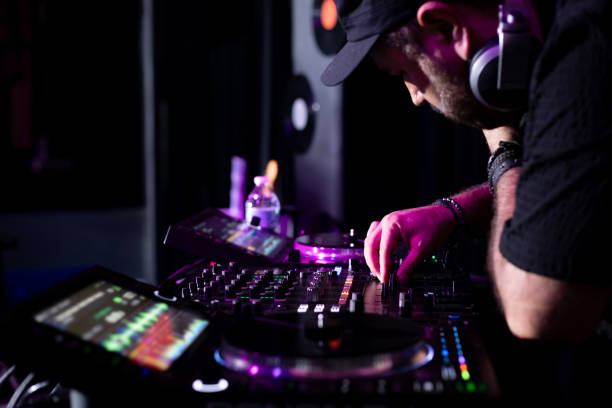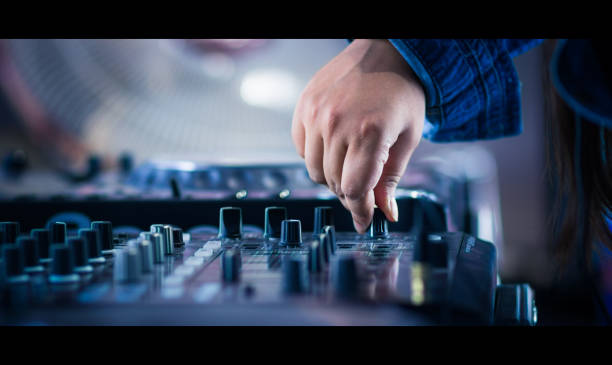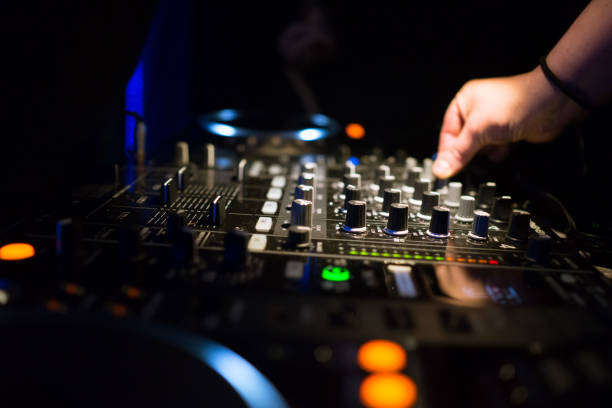
So you’ve decided to step into the booth. Maybe you’ve been glued to DJ streams for months, watching your favorite selectors blend tracks with that effortless swagger, or maybe you just want to finally stop scrolling TikTok and actually do something with your music obsession. Either way, you’re here, and that means it’s time to talk about the literal centerpiece of your setup: the mixer. Before you drop cash on your first controller, you need to understand what those knobs, faders, and buttons actually do. Don’t worry, it’s way less intimidating than it looks.
Let’s start with the most obvious thing you’ll see on any mixer or controller: the channel faders. These are the long sliding controls that let you bring a track in or out of the mix. On a beginner controller, you’ll usually have two or four of them, one for each deck. The fader works like a volume knob, but it’s vertical, so you can slide it up to increase the sound of that channel or down to mute it. Pro tip: you don’t have to slam them to the top or bottom every time. Subtle movements, little nudges, will make your transitions sound smoother than aggressive cuts. Think of faders as your volume dials with legs.
Right next to those faders, usually above them, you’ll find the EQ knobs. EQ stands for equalizer, and on a beginner mixer, you’ll typically see three knobs per channel: low, mid, and high. The low knob controls the bass, the high knob controls the treble, and the mid knob handles everything in between. This is where the magic happens. If you’re mixing two tracks together and the bass is clashing, drop the low EQ on the incoming track while you bring it in, then slowly bring that bass back up as you take the outgoing track’s bass down. That simple trick, called “bass swapping,” will make your mixes sound clean and professional. It’s one of the first techniques every DJ should master, and it’s dead simple once you feel it.
Now, the crossfader. That’s the horizontal slider at the bottom of the mixer, usually centered. The crossfader lets you quickly switch between two channels. Push it all the way to the left, and only the left channel plays. Push it right, and only the right channel plays. Beginner mixers often have a “curve” control for the crossfader, which changes how sharp or smooth the cut is. A sharper curve is great for hip-hop and scratch DJs who need instant cuts, while a smoother curve works better for house or techno blends. Most starter controllers default to a smooth curve, so don’t worry about tweaking it until you know what you actually prefer.
Don’t sleep on the cue buttons. Every channel on a beginner mixer has a cue button, usually labeled Cue or Headphones. When you press it, you can hear that channel in your headphones without the crowd hearing it. This is how you preview the next track, line up the beat, and make sure it’s ready to go before you commit. Without cueing, you’re flying blind. Always, always cue your next track. It’s the difference between a smooth transition and a train wreck.
Some beginner mixers also include a filter knob, often labeled Filter or FX. This is a simpler one-knob control that lets you sweep from low-pass to high-pass, essentially removing the highs or lows in a smooth sweep. Filters are great for building tension. You can slowly filter out the highs on an outgoing track while bringing in a new one, creating a nice atmospheric transition. It’s not essential, but it’s a fun tool that adds texture without needing to understand complex effects.
Finally, the master volume and booth monitor knobs. The master controls what goes to the speakers or the club system, so treat it with respect. The booth monitor controls the volume of your headphones or monitor speakers, so you can hear yourself clearly without blasting the room. Keep the master low when you’re setting up, and gradually bring it up as you check levels.
Here’s the real talk: no one expects you to nail everything on day one. The first time you try to beatmatch, you’ll probably mess up. The first time you try an EQ swap, you might accidentally kill the bass on a drop. That’s fine. Every DJ you admire, from Frankie Knuckles to your local club resident, started exactly where you are now, fumbling with faders and guessing which knob does what. The beauty of a beginner mixer is that it’s forgiving. You can’t break anything by twisting the wrong knob, and the layout is designed to get you comfortable fast.
Your first controller is your training ground. Spend time just playing with the faders and EQs, listening to how they change the sound. Practice cueing a track and bringing it in on beat. Don’t worry about fancy effects or scratching yet. Get comfortable with the basics first, because those basics are what every advanced technique is built on.
So grab your headphones, load up a playlist you know inside out, and start experimenting. The mixer is your tool, not your enemy. Once you understand what each part does, you’ll stop thinking about the gear and start thinking about the music. And that, right there, is when the real DJ life begins.