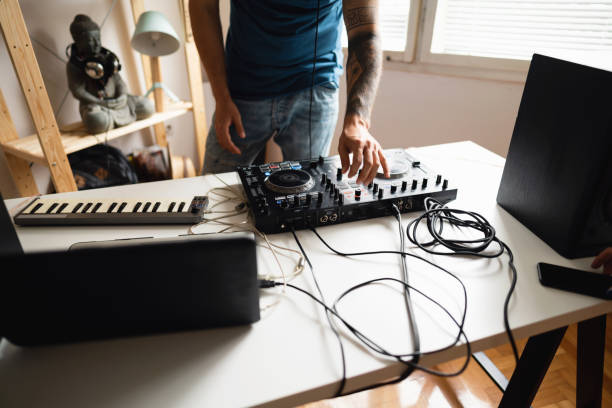
Let’s be real for a second. You’ve spent hours—maybe days—crafting the perfect set. You’ve pulled that rare vinyl rip from a dusty corner of the internet, you’ve hot-cued every breakdown, and you’ve stacked your playlists so tightly that even Frankie Knuckles himself would nod in approval. But here’s the nightmare scenario: your laptop freezes mid-transition, your controller decides to take a nap, or your primary USB drive corrupts right before your slot at that bucket-list club in Berlin. That’s where the unsung hero of the DJ life steps in: a rock-solid custom backup to USB. This isn’t just about redundancy; it’s about gear that lets you walk on stage with zero anxiety. Let’s dive into the essential equipment you need to build a backup system that’s as reliable as your best mix.
First, you need to understand that not all USB drives are created equal. The cheap plastic stick you got at a conference? That’s for school projects, not for a main stage at a festival in Ibiza. For a custom backup setup, you want something built for speed and durability. Look for drives with USB 3.2 Gen 2 or Thunderbolt compatibility if your gear supports it. Brands like SanDisk’s Extreme Pro series or Samsung’s T7 line are the gold standard among touring DJs because they handle rapid read/write speeds, meaning your tracks load instantly when you plug in. These drives are also shock-resistant and often water-resistant, which matters when you’re hauling gear through airport security or sweating through a packed booth. If your media player—like a Pioneer CDJ-3000 or Denon SC6000—supports it, format your drive as exFAT. This avoids the ancient FAT32 file limits and keeps your custom playlists, hot cues, and memory loops intact across both Mac and Windows setups. Trust us, nothing kills a vibe faster than a drive that won’t show up because of a formatting issue.
Now let’s talk about the custom configuration itself. Your backup isn’t just a copy of your main library; it’s a living document of your workflow. Most modern media players allow you to export your entire Rekordbox or Serato database directly to a USB. This means your cue points, beat grids, and even your custom playlist hierarchy transfer over seamlessly. But the real pro move is maintaining multiple backups. Have one USB that lives in your laptop bag, one in your hard case, and one stashed in your car’s glove compartment. Treat them like you would a fire extinguisher—an insurance policy you hope you never need but are grateful for when the heat is on. For maximum reliability, invest in a small, rugged USB hub or a multi-card reader that can handle SD cards as well. Some DJs swear by using microSD cards in a USB adapter because they’re even smaller and less prone to mechanical failure. Combine that with a quality USB-C to USB-A adapter, and you’ve got a backup that works with almost any club setup, whether it’s a vintage CDJ-2000NXS2 or the latest XDJ-XZ.
Let’s get into the nitty-gritty of your actual backup routine. The biggest mistake new DJs make is treating their backup like a static archive. Your gear should evolve with your sets. After every major studio session or gig, plug in your backup drive and run a fresh export. This takes maybe seven minutes but saves you from the horror of realizing your custom loops from last week’s Boiler Room set aren’t there. Leverage software like Rekordbox’s Sync Manager or Lexicon to keep your drives in perfect alignment. And here’s a hot tip from the road: always keep a “starter” USB with just your most essential 50 tracks, plus your signature transitions and a few crowd-pleasers. If your main system crashes ten minutes into a four-hour set, that starter drive lets you keep the dancefloor moving while you troubleshoot. It’s the DJ equivalent of a spare tire—small, intentional, and perfect for emergencies.
Finally, don’t sleep on the physical protection of your media. A high-quality, waterproof, and shockproof case like the Pelican 1040 or the Nanuk 905 is worth every penny. Yes, a hard case takes up space, but when a clumsy barback spills a drink across your booth, that case is the difference between playing your vinyl rip of a Wendy Hunt classic and a silent, tearful night. Label your drives clearly—use a paint pen or custom vinyl stickers—so you never grab the wrong one in the dark. And always check your USB’s health before a gig. Run a quick scan for bad sectors, and if you notice any lag or read errors, retire that drive immediately. Your backup should be a silent partner, not a ticking time bomb.
So next time you’re prepping for a set at a bucket-list club in Tokyo or a festival in Croatia, remember that the best gear is the gear you don’t have to think about. Your custom backup to USB is your safety net, your peace of mind, your second brain. Build it right, maintain it like a pro, and you’ll always be ready to keep the crowd moving—no matter what your laptop throws your way. Now go make history.