So you’re a DJ, a beatmaker, or just someone who lives for that late-night studio flow but hates being chained to a desk. You’ve probably heard people rave about the iPad for music production, but maybe you’ve brushed it off as a toy. Let’s get that straight right now: the iPad has evolved into a legit sketchpad for serious production, and when you gear up right, it becomes the ultimate portable weapon. This isn’t about replacing your full rig—it’s about capturing ideas, arranging tracks, and even finishing beats while you’re on the train, backstage, or vibing in a hotel room after a gig. Welcome to the portable production setup that every DJ needs to consider.
First things first: the tablet itself. You don’t need the absolute latest model, but you do need something with enough processing power to handle multiple apps and audio effects without stuttering. The iPad Pro with the M1 or M2 chip is a beast—it can run a full Ableton-style workflow in apps like Logic Pro for iPad or Cubasis 3, and it handles heavy synth plugins like a champ. But if you’re on a budget, the iPad Air with the M1 chip is still a powerhouse. Just make sure you get at least 256GB of storage, because sample libraries and project files pile up fast. And please, skip the mini unless you have eagle eyes—the 11-inch or 12.9-inch screen is where the sketchpad magic really happens.
Now, let’s talk about the unsung hero of any iPad production setup: the USB-C hub. This little box is your best friend. You’ll need it to connect your audio interface, your MIDI controller, and maybe even a portable hard drive for backup. Look for a hub with at least two USB-C ports, a USB-A port for older gear, and a headphone jack if your iPad doesn’t have one. Brands like Anker and Satechi make solid ones that don’t break the bank. Without a hub, you’re stuck using Bluetooth for everything, and we both know Bluetooth latency is a vibe killer.
Speaking of audio interface, don’t skimp here. You need something that’s class-compliant—meaning it works without extra drivers—and has low-latency monitoring. The Focusrite Scarlett 2i2 is a classic because it’s reliable, sounds clean, and pairs beautifully with the iPad. If you want something even more portable, the Universal Audio Volt 1 or the Arturia MiniFuse 1 are both tiny but punchy. These interfaces let you plug in your turntables, mic, or external synths, turning your iPad into a full-on recording studio. No more “I’ll lay down this idea later”—you can capture that loop or vocal right now.
Next up: your MIDI controller. This is where the sketchpad really comes alive. Tapping on glass is fine for tweaking, but for actually playing keys, drums, or controlling parameters, you need physical knobs and pads. The Arturia KeyStep 37 is a fan favorite—it’s compact, has a built-in sequencer, and works wirelessly with the iPad via Bluetooth. If you’re more into finger drumming, the Novation Launchpad X is perfect for triggering clips in apps like BeatMaker 3 or FL Studio Mobile. But here’s the pro tip: get a controller that has a dedicated sustain pedal input. Why? Because holding down chords or basslines while you tweak effects with your other hand is a game-changer for arranging.
Don’t forget about power. The iPad’s battery is solid, but a full production session with a connected interface, controller, and screen brightness up will drain it fast. Invest in a high-capacity USB-C power bank that supports fast charging—something like the Anker PowerCore 20,000mAh. Slap that in your bag alongside a short, braided USB-C cable, and you’re golden for a six-hour flight or a marathon studio session at a coffee shop.
Storage is another gear upgrade you’ll thank yourself for later. Get a portable SSD, like the Samsung T7, that’s small enough to fit in your pocket but fast enough to stream sample libraries directly from it. You can also use it to back up your projects, so if your iPad takes a spill at a gig, you don’t lose that fire remix you spent two weeks perfecting.
Finally, think about your carrying situation. A padded sleeve or a small backpack with a dedicated tablet compartment will protect your gear. You don’t need a massive case—just something that keeps the iPad snug and leaves room for your hub, cables, and maybe a small controller. Brands like WaterField Designs make sleek, minimalist bags that scream “I’m a pro on the move” without looking like you’re hauling a space station.
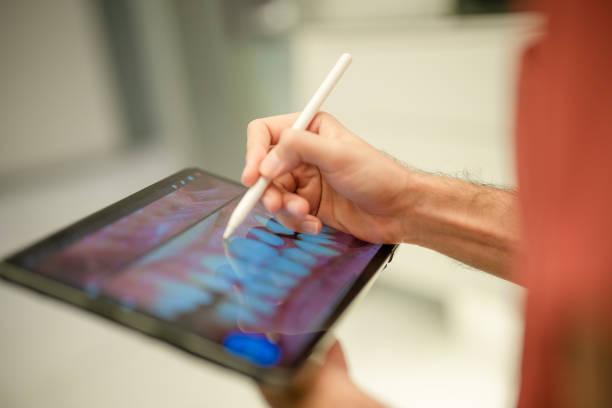
Here’s the bottom line: the iPad as a sketchpad isn’t just about having a touchscreen—it’s about building a portable production setup that feels as intuitive and powerful as your home studio. With the right gear, you can sketch out full tracks, record vocals, and even mix down your beats anywhere inspiration strikes. Whether you’re a touring DJ like Frankie Knuckles might have been if he had this tech, or a weekend warrior just getting your feet wet, gear up, get that hub, and start sketching. Your next hit is waiting in your backpack.