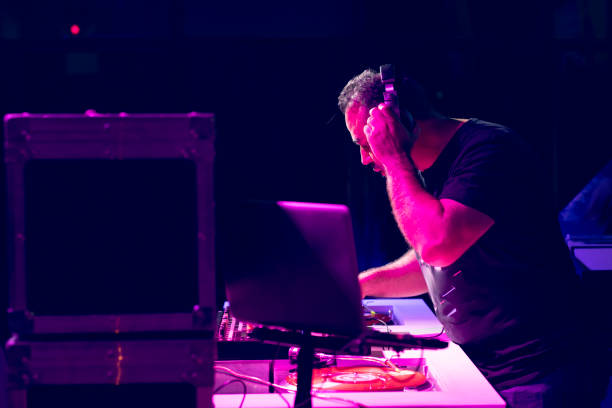
Let’s be real for a second. You’ve spent hours—maybe even whole weekends—dialing in the perfect DJ template. The cue points are locked, the FX chains are mapped, the filter sweeps hit exactly where your soul says they should. Then you open a new session or hop on a different CDJ setup, and suddenly it’s all gone. The comforting grid of your default template? Vanished. You’re left staring at a flat, uninspired layout that feels like wearing someone else’s jeans. This is the moment you realize: you need to save your own default template, and you need the right gear to protect it.
In the world of Production Suite Essentials, your template isn’t just a file—it’s your fingerprint. It’s the sonic foundation that lets you walk into any booth or any DAW and immediately feel at home. But saving it isn’t just about hitting “Save As” on your laptop. It’s about equipping yourself with tools that let you carry your signature sound everywhere, from the club in Berlin to a warehouse in Brooklyn. So let’s break down the essential equipment that turns your template from a fragile digital memory into a bulletproof weapon.
First up, storage. And no, we’re not talking about that dusty external hard drive you’ve been using since college. For serious DJs, a high-speed, rugged USB drive or an SD card with at least 128GB of space is non-negotiable. You want something with fast read and write speeds so your tracks load instantly and your template doesn’t lag when you’re mid-mix. Brands like SanDisk’s Extreme Pro or Samsung’s T7 Shield are solid picks. But here’s the pro move: carry two. One for your main library and template, one as a clone. Because nothing kills a vibe faster than a corrupted drive right before your peak-time set. Keep one in your bag and one in your pocket. That’s your safety net.
Next, think about your controller or mixer. Saving your default template is cool, but if your gear can’t recall those custom mappings, you’re stuck rebuilding every time. That’s why investing in a mixer with onboard memory presets is a game-changer. The Pioneer DJM‑V10 or the Allen & Heath Xone:96 let you store your EQ curves, filter settings, and even your favorite reverb tails. When you roll up to a festival and the venue’s mixer has been tweaked by ten other DJs, you can load your template in seconds. It’s like walking into your own living room, even if the crowd is staring at you from across a sea of lasers.
Don’t sleep on your laptop either. If you’re rocking a machine that sounds like a jet engine every time you push the BPM, it’s time to upgrade. Your default template needs a workhorse that won’t choke during a back-to-back. Look for an M-series MacBook or a similarly powerful Windows rig with at least 16GB of RAM. And please, for the love of Frankie Knuckles, keep your operating system and DJ software updated. Nothing screams “amateur” like a crash because you ignored that firmware update.
Now, let’s talk about the unsung hero of any template save: the audio interface. If you’re serious about pristine sound and low latency, you need a dedicated interface that doesn’t rely on your laptop’s cheap internal sound card. Something like the Focusrite Scarlett 2i2 or the Native Instruments Komplete Audio 6 will give you clean, punchy output. More importantly, it lets you route your template’s FX and monitoring exactly how you want. Save those routing configurations as part of your default template, and you’ll never have to guess which knob controls your master delay again.
Finally, embrace the cloud. Services like Dropbox, iCloud, or specialized DJ cloud backups (like Rekordbox’s cloud library sync) let you save your template across devices. That way, if your USB brick or your laptop gets fried (we’ve all seen that sad Instagram story), you can pull your entire setup from a club’s house computer. Just make sure you have offline copies too—Wi-Fi in a basement club is rarely your friend.
Saving your own default template isn’t just a technical habit. It’s a ritual of self-respect. Gear up with the right storage, a programmable mixer, a beefy laptop, a clean audio interface, and cloud redundancy. Then walk into any booth like the legend you are—because your sound is already there, waiting for you.