Let’s be real for a second: nothing kills a vibe faster than a trainwreck transition. You’ve got the perfect track queued up, the energy in the room is peaking, and then you nudge the pitch fader just a little too hard. Suddenly, the record you’re bringing in sounds like a chipmunk on caffeine, or worse, a dying robot. Enter the unsung hero of modern DJing: the Master Tempo Lock button. If you’re diving into the DJ lingo section of our Technical Term Glossary, this is one piece of terminology you need to have on lock—literally.
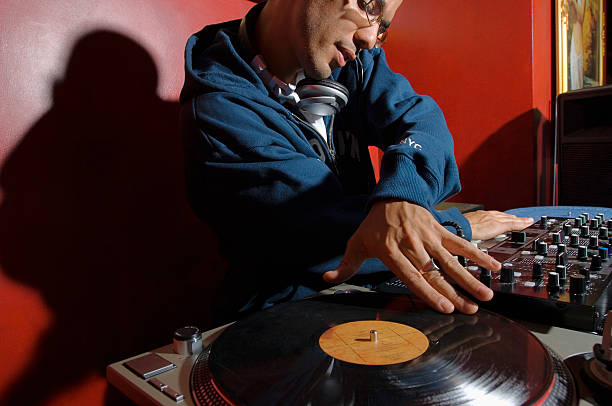
At its core, the Master Tempo (often abbreviated as MT or labeled “Master Tempo Lock” on Pioneer gear, or “Key Lock” on various controllers) is a feature that separates the tempo and pitch of a track. In the old days—think vinyl, turntables, and a lot of sweat—if you wanted to match the BPM of two songs, you had to adjust the pitch slider. That changed the speed, sure, but it also shifted the pitch of the entire track. Speed it up by 8%, and suddenly your vocalist sounds like they’ve inhaled helium. Slow it down, and you’re in demon-voice territory. For genres like house or techno, a slight shift might be fine, but try mixing a soulful vocal track or a hip-hop banger with a heavily shifted pitch, and the dissonance is almost painful.
The Master Tempo Lock button solves this by using digital signal processing (DSP) to decouple the tempo from the pitch. You can crank the tempo slider up to +16% while the vocals stay in the original key. It’s like having a time-stretching wizard living inside your controller or CDJ. This isn’t just a convenience—it’s a game-changer for harmonic mixing. When you’re trying to blend two tracks that vibe on the same energy level but sit in different keys, or you need to bring a slower song up to a peak-time BPM without turning it into a novelty track, Master Tempo lets you keep everything sounding natural.
But here’s the catch: it’s not perfect, and every experienced DJ will tell you to use it with intention. When you push a track too far past its original BPM—say, more than 10-12%—the digital stretching can start to introduce artifacts. You might hear a slight warble, a robotic sheen, or a loss of transient snap on the kicks and snares. That’s because the software is literally cutting up tiny slices of audio and either repeating them (for slowing down) or skipping them (for speeding up). On lower-end controllers, this can sound rough, especially on tracks with lots of reverb, pads, or complex percussion. On high-end gear like a Pioneer CDJ-3000 or a Denon SC6000, the algorithms are much smoother, but the physics of audio still have limits.
So when should you use it, and when should you let it go? The sweet spot is for blending vocals, melodic elements, or tracks with recognizable samples. If you’re mixing two banging techno loops that are mostly drums and bass, you might not even need it—a slight pitch shift can actually add a subtle tension that works. But for pop, R&B, classic disco, or any track where the vocal is the star, Master Tempo Lock is non-negotiable. It keeps the emotional core of the song intact, even as you reshape its groove to fit the dancefloor.
Another pro tip: remember that Master Tempo affects the entire track, including the timbre of the drums. If you slow a house track down by 5%, the claps might lose a bit of snap. You can sometimes compensate with a slight EQ boost on the highs or a touch of transient shaping. Also, if you’re recording a mix broadcast or a podcast, always use Master Tempo Lock—listeners at home will be way more forgiving of a slightly stretched snare than they will of a vocal that sounds like a cartoon mouse.
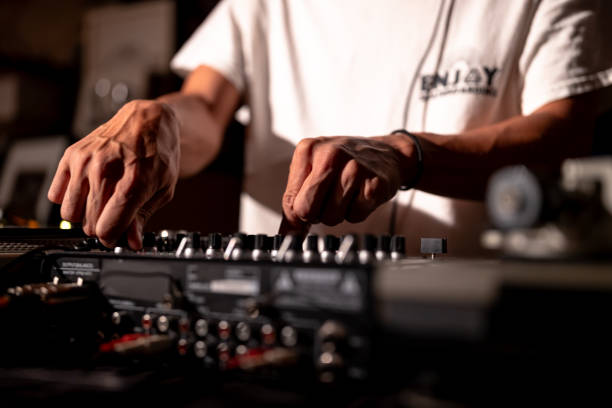
In the broader context of DJ lingo, Master Tempo is one of those terms that separates beginners from pros. A rookie might rely on it blindly, cranking tempos wildly without thinking about musicality. A seasoned DJ uses it as a tool, knowing when to engage it and when to trust their ears. It’s not a crutch—it’s a scalpel. Whether you’re playing on a club’s CDJ setup or your bedroom controller, understanding this button will level up your transitions and keep the dancefloor feeling that effortless flow.
Next time you’re behind the decks and see that little “MT” on the screen, give it a nod of respect. It’s doing more work than you think, letting you focus on what really matters: reading the room, riding the faders, and making the crowd lose their minds. Master the Master Tempo, and you’re one step closer to speaking the language of the DJs who came before you—from the pioneers like Larry Levan and Frankie Knuckles to the bedroom producers of today.