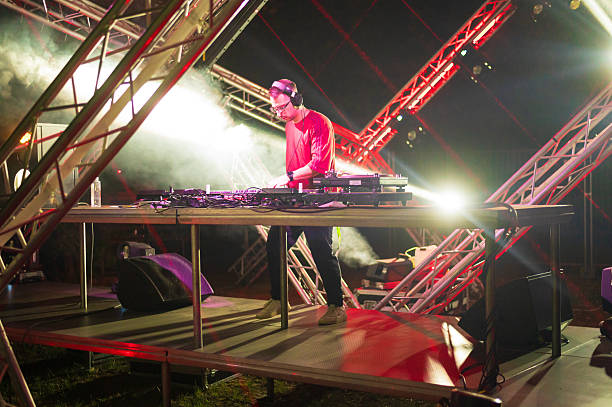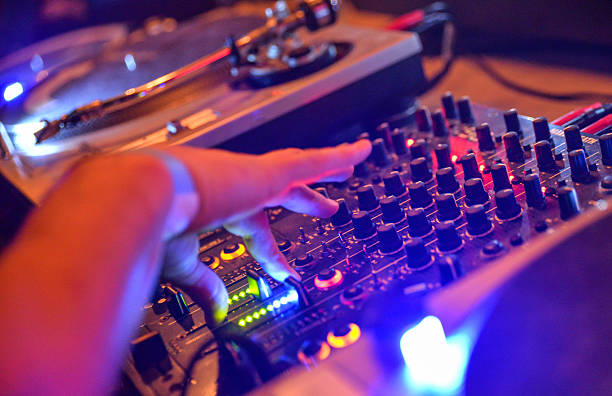
You’re standing in a dimly lit booth, headphones cupped over one ear, thumb hovering over the sync button. The track you just loaded is a banger—but is it your banger right now? Before you nudge that pitch fader or hit that master tempo button, you need to know one thing: the BPM. Not just a number on a screen, but the actual, reliable, dancefloor-crushing tempo that tells you whether this track fits the one already playing. A BPM counter isn’t a magic box that spits out a perfect digit. It’s a tool that needs the right inputs, the right ears, and a little DJ intuition to do its job. Let’s break down what a BPM counter actually needs to earn its spot in your DJ bag.
First, a BPM counter needs clean audio. You might think any old waveform will do, but if the track is muddy or poorly produced, the algorithm gets confused. Think of it like trying to count heartbeats during a dubstep drop—too much noise, and the counter grabs a false beat. A DJ’s best practice is to load tracks that have a clear kick drum, snare, or hi-hat pattern. If you’re pulling a vinyl rip from 1987 with crackles and pops, expect the counter to throw out numbers like 138 when it’s actually 132. Many modern DJ software (Rekordbox, Serato, Traktor) does a decent job, but a dedicated hardware BPM counter like the Pioneer DJM series or a standalone unit from Allen & Heath relies on a clean signal path. If your gain staging is off or your EQ is jacked, the counter might read a ghost beat. Always pre-listen with fresh ears—or better yet, match your gains before hitting load.
Second, a BPM counter needs human context. The algorithm can’t tell if a track is half-time or double-time. You’ve seen it happen: you load a DnB tune at 174 BPM, but the counter says 87. That’s because the software is reading the snare on the 2 and 4 as the primary pulse, not the kick pattern. A good BPM counter doesn’t just output a single number—it offers a range or a tap-tempo override. But what it really needs is you to interpret the result. If you’re mixing a 128 BPM house track into a 140 BPM dubstep track, the counter won’t tell you to use a bridge or a breakdown. That’s your call. The counter is a navigator, not a driver. So when you see a BPM that feels off, tap it out with your finger or use a metronome. Your body knows the groove better than any silicon.
Third, a BPM counter needs steady source material. Live recordings, DJ mixes, and tracks with heavy tempo changes will confuse even the best counters. If you’re trying to beat-match a DJ set with 15 transitions baked in, the counter will jump around like a nervous cat. The fix? Use a track’s original master or a clean intro edit. Many DJs swear by analyzing their library in a quiet studio environment, then locking the BPM in the metadata. On the fly, a BPM counter needs a consistent four-on-the-floor pattern or a clear rhythmic anchor. If you’re dropping a track that builds with ambient pads before the kick hits, wait until the drums enter. Otherwise, you’re just guessing.
Fourth, a BPM counter needs calibration. Not all counters are created equal. Some hardware units have a resolution of 0.1 BPM, others only 1.0. Some software analyzes at a sample rate of 44.1 kHz, others at 48 kHz. If you’re using a budget controller, don’t trust the displayed BPM without double-checking. A pro tip: use the “beatgrid” alignment feature in your software (Rekordbox’s dynamic grid or Serato’s beatgrid) to manually snap the counter to the downbeat. Then, use your ears to confirm the alignment. If the counter says 128.0 but the snare hits a hair late, nudge it. That’s what the “phase” or “grid offset” is for. A BPM counter that isn’t calibrated is like a compass pointing north but reading south.
Lastly, a BPM counter needs your flow. The best counter in the world is useless if you’re glued to the screen. Real DJs use the counter as a starting point, then rely on their headphones and monitors to feel the lock. The counter tells you the tempo range; your ears tell you the groove. If you’re mixing two tracks and the counter says they’re both 124 BPM but they sound like they’re fighting, check the downbeat alignment. Often, the counter missed the first beat by a 32nd note, and the whole mix is off by a fraction. The fix? Use the waveform zoom or tap the cue button to sync the downbeats manually. The counter is your first date; your ears are the long-term relationship.
So what does a BPM counter actually need? Clean audio. Human context. Steady source material. Calibration. And your flow. It’s not a replacement for rhythm, practice, or the vibe of the room. It’s a humble assistant that works best when you treat it like a co-pilot, not an autopilot. Next time you’re browsing your library with that number glowing in the corner, remember: the BPM counter is only as good as the DJ using it. And you, my friend, are the one making the dancefloor move.