You do not need a club-standard rig to learn how to DJ. The bare minimum setup is smaller and cheaper than most people think. A laptop, a beginner controller, a pair of wired headphones, and speakers are enough to get your first blends poppin. The goal is not to look like you are headlining Tomorrowland. The goal is to get reps in, learn your tracks, and figure out what kind of DJ you want to be. Everything else can come later.
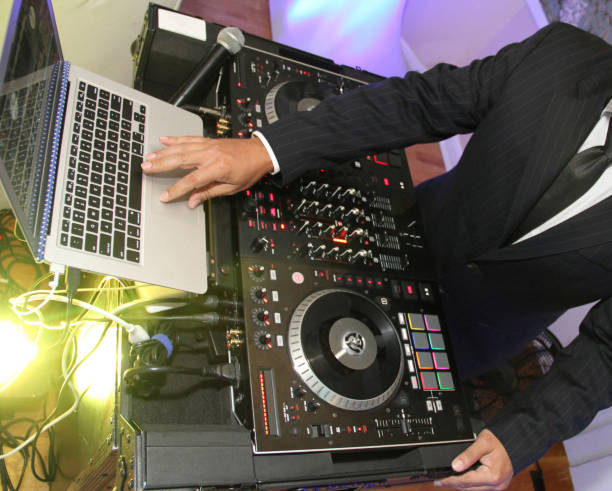
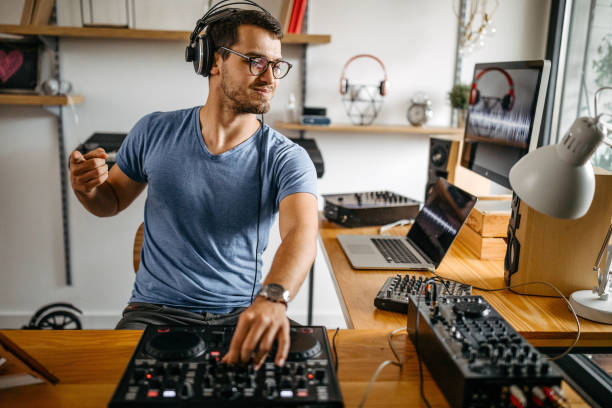
The centerpiece is a two-channel DJ controller. Think Pioneer DDJ-FLX4, DDJ-200, Numark Mixtrack, Hercules Inpulse. You want two decks, a crossfader, EQ knobs, a headphone cue button, and a USB connection. Jog wheels are nice, but you can also use touch strips or even your keyboard if you are really on a budget. Most beginner controllers come with software like rekordbox, Serato Lite, or djay. If you already have a tablet or phone, apps like djay can turn it into a surprisingly capable setup. The controller does not need four channels, fancy effects, or a built-in screen. You are learning to walk, not sprint.
Headphones matter more than people admit. Get a closed-back over-ear pair, because you need to hear the next track while the current one is bumping. AirPods and Bluetooth cans have latency, which makes cueing feel like you are mixing through fog. Wired is the move. Audio-Technica ATH-M20x, Sony MDR-7506, or Pioneer HDJ-CUE1 are solid starter picks. You do not need $300 studio headphones. You need something comfortable, loud enough, and clear enough to separate the kick from the snare.
For sound, your controller probably has a built-in audio interface, so you can plug headphones into the cue output and speakers into the master output. If you are practicing in your bedroom, computer speakers or small studio monitors are fine. Bluetooth speakers are tempting, but the delay will mess with your timing. Use a wired aux or RCA connection. If you are playing for friends, a powered PA speaker is the bare minimum for a small room. Do not blow your budget on a massive system before you have played a single house party.
Your music library is part of the setup too. You need tracks, and you need them organized. Streaming services like Beatport Streaming, Beatsource, SoundCloud Go+, or Tidal can work with DJ software, but download your core tracks for offline gigs. Start with fifty to a hundred songs you love. Sort them by energy, genre, and BPM. Make crates like warm-up, peak time, and closing. Avoid sketchy YouTube rips. The audio quality is trash, and the metadata is a mess. Buy WAVs, AIFFs, or 320 kbps MP3s when you can. Tag your files. It saves you from scrolling like a maniac mid-set.
The setup itself should feel comfortable. Put your controller at a height where your wrists are not dying. Keep your laptop above or beside it. Face your speakers toward your ears, not your knees. Plug everything in, open your software, and load two tracks. Hit play on one, cue the other, match the BPM, and bring it in. Sync is not cheating when you are learning, but try beatmatching by ear too. Record your practice sessions. Listen back. Cringe. Learn. Repeat. Twenty focused minutes a day will teach you more than buying new gear every month.
You do not need CDJs, turntables, a rotary mixer, booth monitors, custom lighting, or a coffin case. Those things are cool, but they are not the bare minimum. Used gear is your friend. Facebook Marketplace, Reverb, and local DJ groups are full of controllers that someone bought during a hype phase and never touched. Just make sure you have the right cables: USB, RCA, a headphone adapter, and a power supply. Bring a backup USB when you start playing out.
The real bare minimum is a willingness to suck for a while. Your first transitions will be rough. Your phrasing will be off. You will train wreck in front of your bedroom mirror. That is normal. The best setup is the one you will actually use, not the one that looks best on TikTok. Start small. Learn your tools. Upgrade when you hit a wall. The club can wait. Your bedroom is the lab.